
Student Learning Space (SLS)
Access the Student Learning Space (SLS) portal to manage your learning at your own pace. Find login guides, password help, and support contacts here.
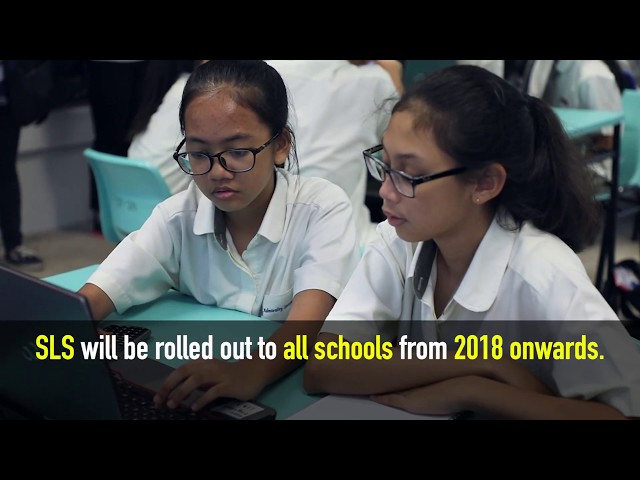
The Singapore Student Learning Space is a platform that will support Teaching and Learning of our students. In particular, it will help empower them to drive their own learning according to their needs and interests.
By spurring our students to take greater ownership of their learning and work collaboratively with their peers, the SLS aims to support them towards becoming responsible future-ready learners.
Click https://vle.learning.moe.edu.sg/login to access the Student Learning Space (SLS) portal.
For Sec 1 students, click Guide to SLS Account Management to access.
WHAT IS SLS?
Click to watch the video https://www.youtube.com/watch?v=F0FTP2FveSg
INSTRUCTIONS FOR STUDENTS
SYSTEM REQUIREMENTS
The SLS is accessible through the internet browsers on either Windows PC, Mac, iPad or Android tablets (with screen size larger than 7 inches for good user experience).
LOGIN
SLS can be accessed from https://vle.learning.moe.edu.sg/login.
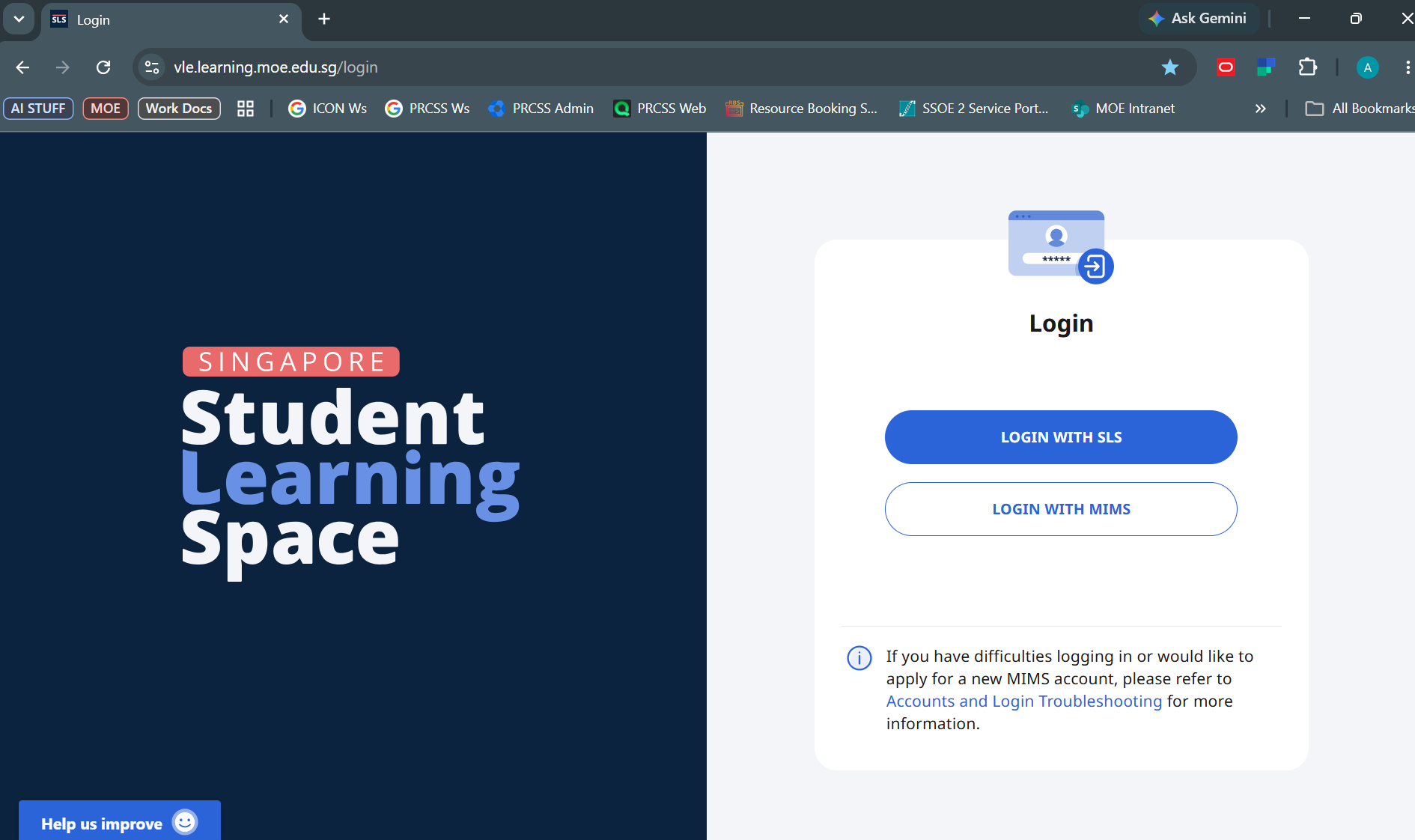
Option 1: Login with MIMS (Recommended)
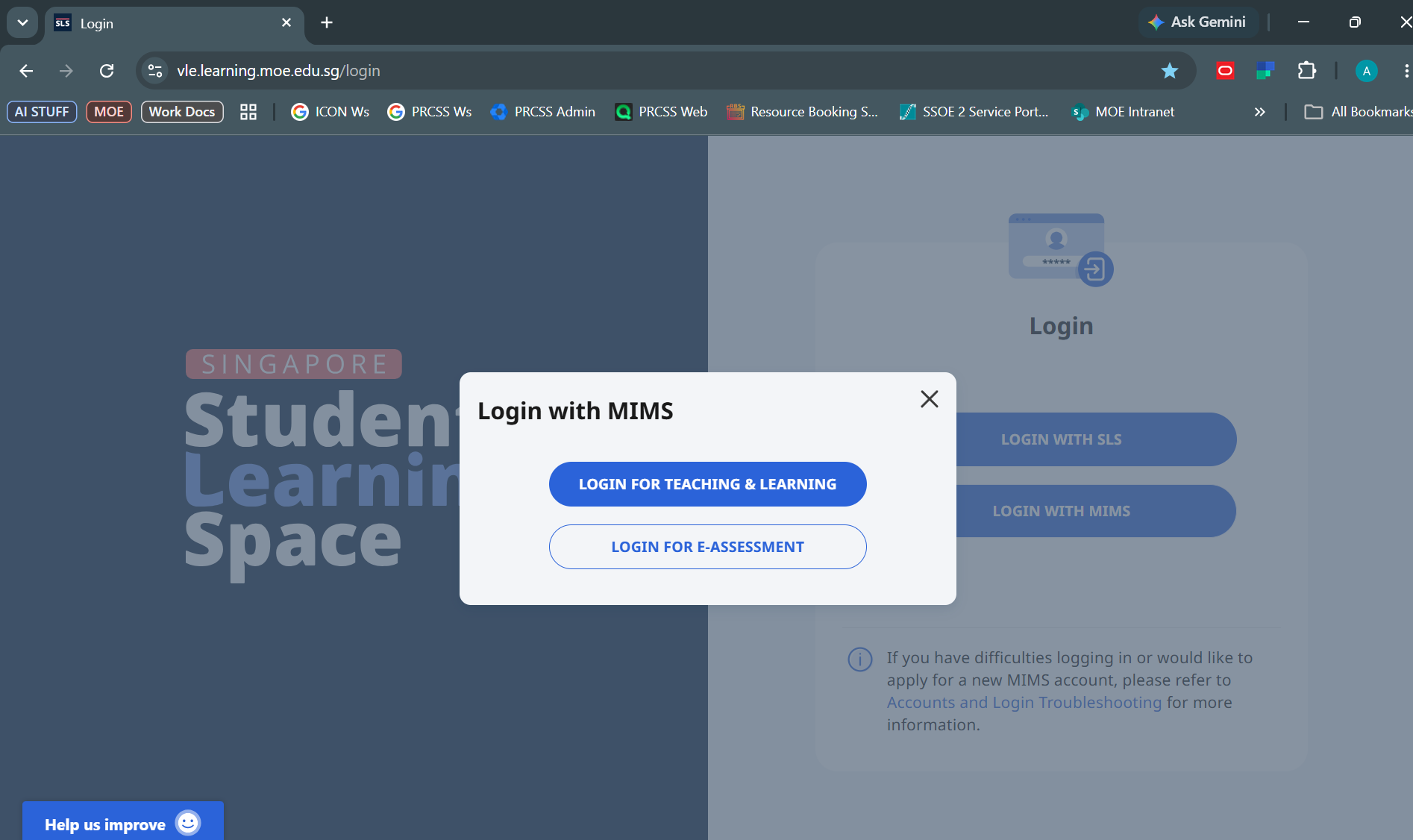
Select: LOGIN FOR TEACHING & LEARNING
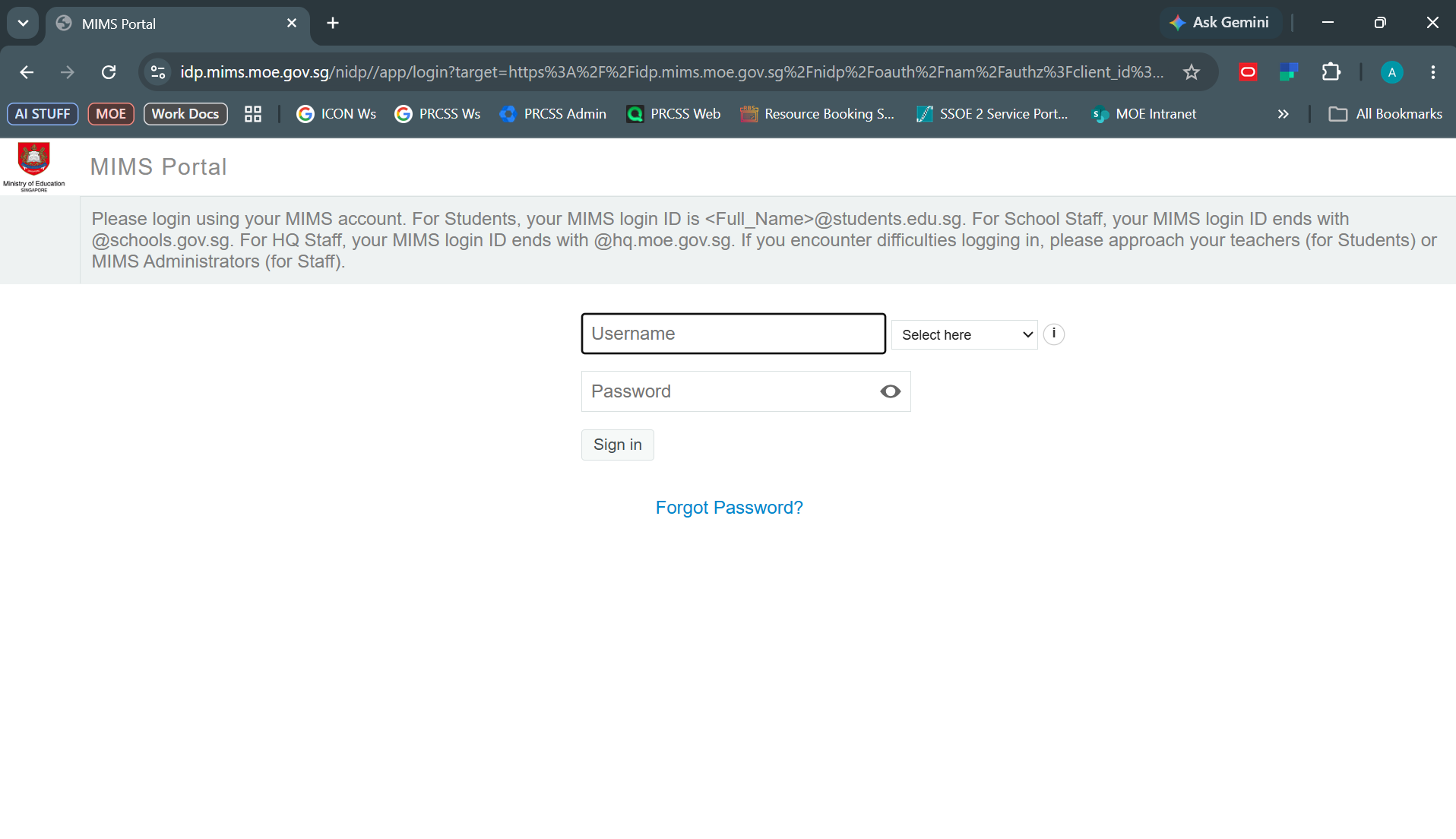
Username: student_full_name@students.edu.sg (not @prcss.edu.sg)
Password: Follow your PLD Password / MIMS Password
Option 2: Login with SLS
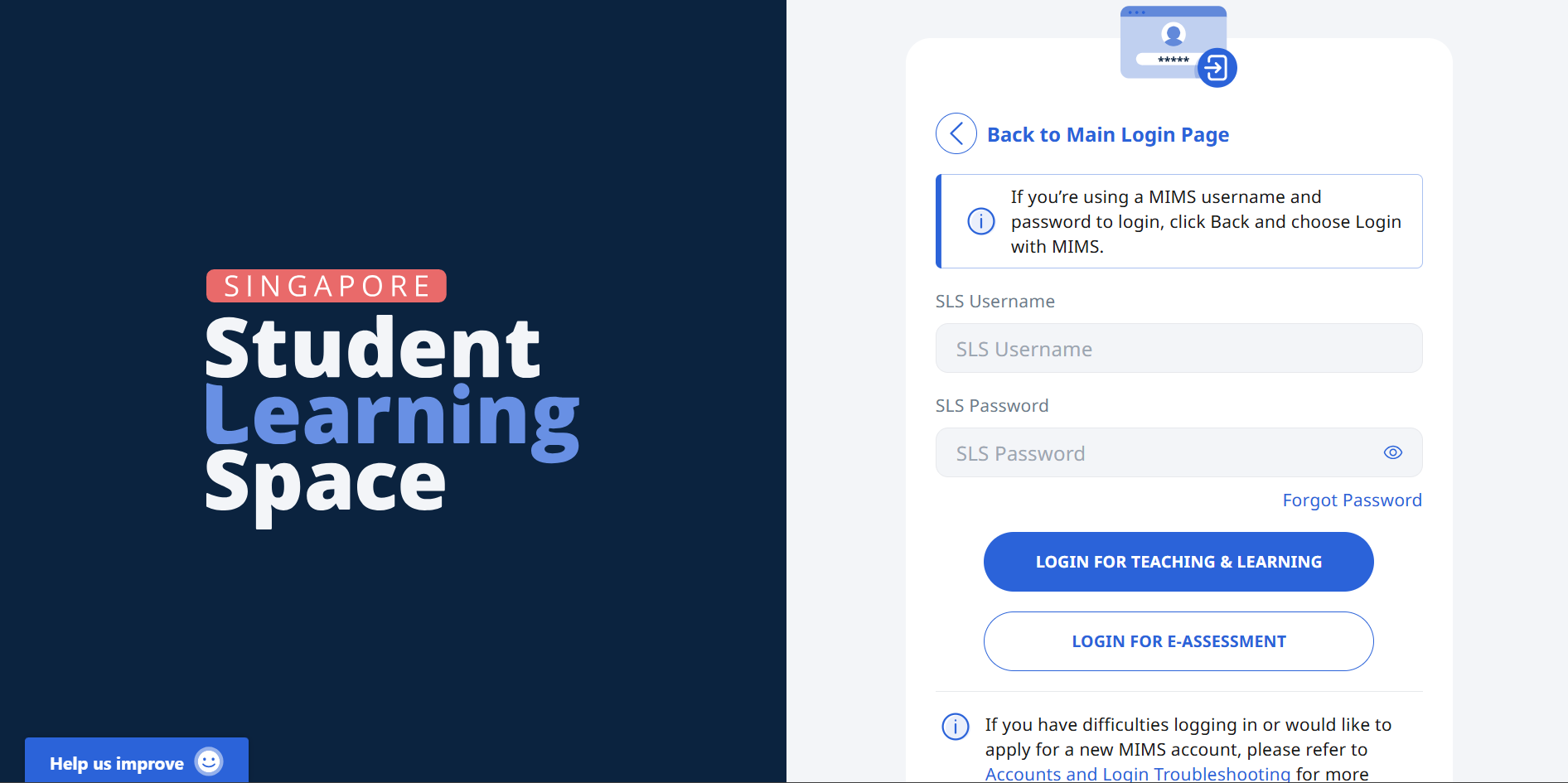
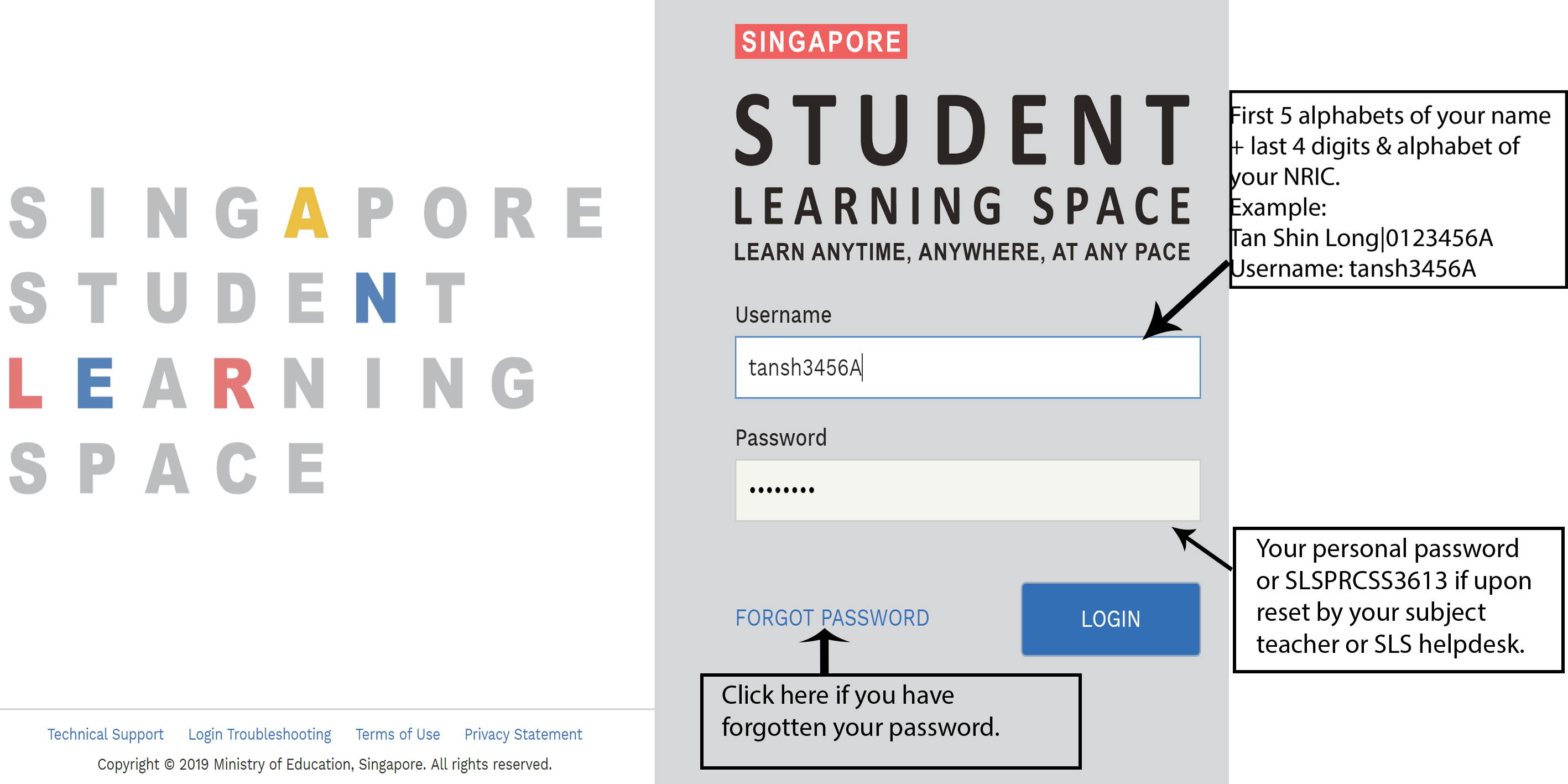
PASSWORD
Passwords must have the following requirements:
8 characters or longer; and
at least 1 letter and 1 number.
SLS will prompt you for a change in password every 90 days.
RESETTING PASSWORD
If you have forgotten your password, you can reset it through the following methods:
click the password reset link,
call the SLS Helpdesk at 6702 6513,
request any of your subject teachers for help.
FREQUENTLY ASKED QUESTIONS
Q1: My account has been locked. What should I do?
Your account will be locked after 6 consecutive attempts to log in with an incorrect password. Please call the SLS Helpdesk at 6702 6513 to unlock your account. You will need to answer the security questions to verify that you are the legitimate account holder.
Operating Hours
Mondays to Fridays: 9:00 am - 9:00 pm
Saturdays: 9:00 am - 3:00 pm
Q2: I used the "Password Reset Link Method" but I cannot find my password reset email. What can I do?
If you cannot see the email in your inbox, it may be in the spam or junk email folder. The URL in the email will expire within 10 minutes. If the URL has expired, go to the login page and select "Forgot Password" to try again.
Q3: What are the Operating System and Browser Requirements for SLS?
The following are the recommended operating systems:
Windows laptop/desktop with Microsoft Windows 7 SP1 and later;
Apple laptop/desktop with Mac OS X 10.9 and later;
iPad with iOS 8 and later;
Android tablet with Android 5 and later.
SLS is accessible through the latest internet browsers (minimum: Internet Explorer 11, Google Chrome 51, FireFox 51 or Safari 7.1).
Q4 : Can SLS run on mobile phones?
You can access SLS from internet browsers installed on your mobile phones or equivalent devices. However, the system is currently not optimised for use on these devices.
SLS SUPPORT
School Operating Hours
During school operating hours, students should contact the School-based Helpline for SLS queries including all SLS access matters such as password reset and unlocking of accounts, as well as queries about lesson assignments.
School-based Helpline: 6581 1655 (ext. 104 or 105)
Mondays - Fridays: 8:00 am - 4:00 pm
For other matters, students can email the SLS Helpdesk at helpdesk@sls.ufinity.com. When emailing the SLS Helpdesk, they should include their full name, name of school and form class.
Non-School Operating Hours
Students can only contact the SLS Helpdesk outside the school operating hours.
SLS Helpdesk: 6702 6513
Mondays - Fridays: 4:00 pm - 9:00 pm
Saturdays: 9:00 am - 9:00 pm
*Closed on Sundays & Public Holidays
Alternatively, students can email the SLS Helpdesk at helpdesk@sls.ufinity.com. When emailing the SLS Helpdesk, they should include their full name, name of school and form class.